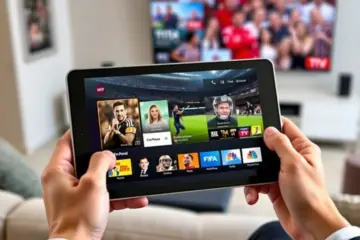
Best Lightweight IPTV Apps For Low End Devices

Why Budget Devices Need Lightweight IPTV Apps
Budget streaming devices often struggle with resource-intensive applications, making lightweight IPTV apps essential for smooth entertainment. These devices typically have limited RAM, less powerful processors, and minimal storage capacity compared to premium alternatives. Consequently, they can experience significant performance issues when running demanding applications.
Lightweight IPTV apps are specifically optimized to function efficiently on these constrained systems. They consume fewer system resources while delivering the same high-quality streaming experience as their bulkier counterparts. This optimization ensures that even entry-level devices can handle HD streaming without constant buffering or crashes.
Key Benefits of Lightweight Streaming Apps
Resource-friendly IPTV applications provide multiple advantages for budget-conscious streamers. First, they significantly reduce buffering by requiring less processing power to decode video streams. This means you can enjoy continuous viewing without frustrating interruptions, even on older hardware.
Additionally, these apps load faster and respond more quickly to remote commands. The streamlined codebase and efficient memory management translate to snappier channel switching and smoother navigation through electronic program guides. This enhanced responsiveness makes the viewing experience much more enjoyable.
Battery life represents another crucial benefit, particularly for mobile devices. Lightweight applications consume less power, allowing you to stream content for longer periods without needing to recharge. This efficiency extends the usability of budget tablets and smartphones for entertainment purposes.
Optimized Performance on Limited Hardware
Lightweight IPTV apps achieve their efficiency through several technical optimizations. They typically feature simplified user interfaces that require less graphical processing power. Many also implement intelligent caching systems that minimize data usage while ensuring smooth playback.
These applications often support hardware acceleration, which offloads video decoding to dedicated chips rather than relying solely on the main processor. This approach dramatically improves performance on devices with limited CPU capabilities. The result is reliable streaming even on hardware that struggles with other video applications.
Compatibility represents another significant advantage. Lightweight apps typically support a wider range of devices, including older smart TVs and streaming sticks that might not run more demanding applications. This broader compatibility ensures that you can access premium content without upgrading your equipment.
Choosing the Right App for Your Device
When selecting an IPTV application for budget hardware, consider factors beyond just the download size. Look for apps specifically designed for low-resource environments, with features like adjustable video quality settings and minimal background processes. Our comprehensive guide to the best IPTV apps for Android includes several excellent lightweight options.
Proper setup also plays a crucial role in performance. Ensure your device has adequate storage space available and close other applications before streaming. For optimal results, consider using a wired Ethernet connection instead of WiFi when possible. Our buffering troubleshooting guide offers additional tips for improving stream quality on budget devices.
Many users find that pairing lightweight apps with affordable IPTV subscriptions creates the perfect budget-friendly streaming solution. This combination delivers premium content without requiring expensive hardware upgrades, making cutting-edge entertainment accessible to everyone.
Top Lightweight IPTV Apps for Smooth Streaming on Minimal Hardware
Finding the right IPTV app that delivers exceptional performance without demanding high-end hardware can be challenging. Fortunately, several lightweight applications provide seamless streaming experiences even on older devices or those with limited processing power.
IPTV Smarters Pro: The All-Rounder Performer
IPTV Smarters Pro stands out as one of the most efficient IPTV players available. This versatile app requires minimal system resources while supporting multiple playlist formats including M3U URLs and Xtream Codes API. Its clean interface loads quickly and navigation remains smooth even on entry-level Android devices. The application’s recent updates have further optimized performance while maintaining compatibility with older hardware.
Perfect Player: Lightweight and Reliable
Perfect Player excels as a no-frills IPTV solution that prioritizes performance over flashy features. With a small installation footprint and minimal memory usage, this app delivers stable streaming on devices with as little as 1GB RAM. Its efficient codec support ensures smooth playback without taxing your device’s processor, making it ideal for Firestick and Android TV boxes with limited capabilities.
TiviMate: Optimized for Older Hardware
While TiviMate Premium offers advanced features, the basic version provides excellent performance on minimal hardware. The application’s efficient memory management and streamlined interface ensure responsive navigation even on older smart TVs and streaming devices. For users seeking optimal streaming performance without hardware upgrades, TiviMate’s balanced approach delivers quality viewing experiences.
OTT Navigator: Resource-Conscious Streaming
OTT Navigator provides comprehensive IPTV functionality while maintaining minimal system requirements. The app’s efficient playlist parsing and buffer management prevent performance bottlenecks on low-end devices. Its ability to handle multiple EPG sources without slowing down makes it particularly suitable for users with moderate internet connections and basic streaming hardware.
Choosing the Right App for Your Setup
When selecting a lightweight IPTV app, consider your device’s specifications and your viewing preferences. For devices with 1GB RAM or less, Perfect Player and the basic version of IPTV Smarters Pro typically offer the best performance. Meanwhile, if you’re using a Firestick or similar streaming device, TiviMate and OTT Navigator provide excellent balance between features and performance.
Remember that app performance also depends on your IPTV service quality and subscription plan. Even the most efficient app will struggle with poor service connections. Therefore, pairing these lightweight applications with a reliable IPTV provider ensures the best possible streaming experience on minimal hardware.
Why TiviMate Excels on Low-End Android Devices
When it comes to streaming IPTV on budget-friendly Android devices, TiviMate consistently outperforms the competition by delivering premium features without demanding high-end hardware. Unlike many streaming apps that become sluggish on entry-level devices, TiviMate maintains smooth performance thanks to its lightweight architecture and efficient resource management. This makes it the ideal choice for users who want a premium viewing experience without needing to upgrade their hardware.
Optimized Performance for Limited Resources
TiviMate’s developers specifically engineered the application to run efficiently on devices with limited RAM and processing power. The app uses minimal system resources while maintaining full functionality, ensuring that even older Android TV boxes and sticks can handle IPTV streaming without constant buffering or crashes. Meanwhile, its intelligent caching system reduces the strain on your device’s memory, providing stable playback even during peak viewing hours.
Furthermore, TiviMate’s clean interface loads quickly and responds instantly to remote commands, eliminating the frustrating lag that plagues many streaming apps on low-end hardware. This optimization means you can enjoy seamless channel switching and menu navigation, creating an experience that feels premium regardless of your device’s specifications. For those using Android boxes, our guide to the best IPTV services for Android boxes complements TiviMate perfectly.
Essential Features Without the Bloat
While TiviMate offers advanced capabilities like premium recording options and comprehensive electronic program guides, it avoids the feature bloat that typically slows down competing applications. The app focuses on core IPTV functionality first, ensuring that basic operations remain fast and reliable. This strategic approach means you get exactly what you need for IPTV streaming without unnecessary extras that consume precious system resources.
The application’s efficient coding allows it to support multiple playlists and extensive channel lists without performance degradation. Even with thousands of channels organized in custom categories, TiviMate maintains its responsive interface and smooth playback. This balance of comprehensive features and optimized performance sets it apart from other players that either sacrifice functionality for speed or become unusable on entry-level devices.
Proven Reliability Across Device Generations
User reports and performance tests consistently show TiviMate running reliably on devices dating back to Android 5.0, demonstrating exceptional backward compatibility that few streaming applications can match. This longevity makes it a smart investment for users who want an IPTV solution that will continue working even as they upgrade other components of their entertainment system. The app’s stability across different Android versions ensures consistent performance regardless of your device’s age.
Additionally, TiviMate’s development team maintains regular updates that further optimize performance while adding valuable features. These updates often include specific improvements for older hardware, extending the usable life of budget devices. For users seeking the complete TiviMate experience, our comprehensive setup guide provides step-by-step instructions for optimal configuration on any Android device.
Cost-Effective Entertainment Solution
By performing excellently on affordable hardware, TiviMate eliminates the need for expensive device upgrades just to enjoy quality IPTV streaming. This cost-effectiveness extends its appeal to budget-conscious consumers who want premium features without premium hardware costs. The application’s one-time premium license fee provides lifetime access to advanced features, making it significantly more economical than subscription-based alternatives.
When paired with affordable IPTV subscriptions, TiviMate creates an entertainment ecosystem that delivers maximum value for minimal investment. This combination proves particularly valuable for users in developing markets or those simply looking to minimize entertainment expenses while maintaining access to quality content.
Ultimately, TiviMate’s ability to transform basic Android devices into powerful IPTV platforms makes it the undisputed leader for budget-conscious streamers. Its thoughtful balance of features and performance ensures that hardware limitations never compromise your viewing experience, providing premium entertainment accessibility to users across the economic spectrum.
Why Smart IPTV is the Perfect Lightweight Solution
When you’re working with limited device resources, finding an IPTV app that delivers smooth performance without consuming excessive RAM or storage becomes essential. Smart IPTV stands out as the ideal lightweight solution for basic streaming setups, requiring minimal system resources while providing reliable access to your favorite channels.
Optimized Performance on Low-End Devices
Smart IPTV’s streamlined design ensures it runs efficiently even on devices with as little as 1GB of RAM. Unlike more resource-intensive applications that can slow down your device, this lightweight player focuses on core functionality without unnecessary bloat. The app typically requires under 50MB of storage space, making it perfect for devices with limited internal memory or those where you’ve installed multiple streaming applications.
Many users report significantly faster channel loading times compared to bulkier alternatives, particularly on older Android boxes or entry-level smart TVs. This efficiency translates to smoother navigation and reduced buffering, even when your device is handling other tasks simultaneously.
Simple Setup and User-Friendly Interface
The straightforward installation process makes Smart IPTV accessible for beginners. You can quickly install it on most smart TVs and streaming devices without technical expertise. The clean interface presents channels in an organized list format, eliminating the learning curve associated with more complex IPTV players.
Navigation remains intuitive even on smaller screens, with responsive controls that don’t require powerful processors to operate smoothly. This simplicity extends to playlist management, where adding your M3U playlist involves just a few simple steps.
Compatibility Across Multiple Platforms
Smart IPTV’s lightweight nature allows it to function seamlessly across various devices, including Samsung and LG smart TVs, Amazon Firestick, and Android boxes. The consistent performance across platforms means you can enjoy the same reliable streaming experience regardless of your device’s specifications.
For those using multiple streaming devices throughout their home, Smart IPTV provides a uniform interface that doesn’t require adjustment when switching between screens. This cross-platform compatibility makes it an excellent choice for households with mixed device ecosystems.
Balancing Features and Performance
While Smart IPTV may not include every advanced feature found in premium players, it delivers all the essential functionality most users need. The app supports electronic program guides (EPG), favorite channel management, and reliable playback of standard and HD streams. This careful balance between features and performance ensures the app remains lightweight without sacrificing core viewing capabilities.
For users seeking basic IPTV functionality without overwhelming options, Smart IPTV hits the sweet spot. It provides everything necessary for comfortable viewing while maintaining the lightweight performance that makes it ideal for resource-constrained devices.
When to Choose Smart IPTV
This application shines in specific scenarios. If you’re using an older smart TV with limited processing power, or if you’ve noticed performance issues with more feature-rich IPTV players, switching to Smart IPTV can dramatically improve your streaming experience. It’s also perfect for secondary TVs where you want reliable access to channels without complex setup or maintenance.
Additionally, if you’re primarily interested in straightforward channel viewing rather than advanced recording or multi-screen features, Smart IPTV’s focused approach delivers exactly what you need. The app works seamlessly with various subscription plans, making it easy to pair with your preferred service provider.
For those concerned about storage space on their Firestick or Android device, Smart IPTV’s minimal footprint means you can install it alongside other essential apps without worrying about running out of memory. This makes it an excellent choice for users who want to maintain a versatile streaming setup without performance compromises.
OTT Navigator: Versatile Performance on Budget Devices
OTT Navigator stands out as one of the most versatile IPTV players available, particularly for users with budget-friendly or older streaming devices. This powerful application delivers premium features without demanding high-end hardware specifications, making it accessible to a broader audience. Many users discover that even entry-level Android boxes or older smartphones can run OTT Navigator smoothly, providing access to thousands of channels and video-on-demand content. This efficiency makes it an excellent choice for those seeking affordable entertainment solutions without sacrificing functionality.
Optimized Performance for Low-End Hardware
The application’s lightweight architecture ensures minimal resource consumption while maintaining responsive navigation and playback stability. OTT Navigator achieves this through efficient code optimization and intelligent caching mechanisms that reduce processor and memory load. Consequently, devices with limited RAM or older processors can handle HD streaming without constant buffering or crashes. This performance optimization is particularly valuable for households using multiple devices or travelers relying on mobile connections where bandwidth may be limited. For users experiencing performance issues with other players, our comprehensive buffering guide offers additional troubleshooting strategies.
Advanced Features Accessible to All
Despite its efficient resource usage, OTT Navigator doesn’t compromise on advanced functionality. The application supports multiple playlist formats including M3U and Xtream Codes API, enabling seamless integration with most IPTV subscription plans. Users benefit from electronic program guides (EPG), catch-up TV support, and recording capabilities—features typically found in premium players costing significantly more. The customizable interface allows users to organize channels by category, create favorites lists, and adjust video player settings to match their device capabilities. These professional-grade tools ensure that even budget-conscious viewers can enjoy a personalized viewing experience comparable to high-end solutions.
Seamless Multi-Device Compatibility
OTT Navigator extends its accessibility across various platforms, supporting Android TV, smartphones, tablets, and Firestick devices. This cross-platform compatibility means users can maintain their preferred viewing experience whether at home or on the go. The application’s consistent performance across different screen sizes and operating systems makes it particularly valuable for families with mixed device ecosystems. For those using Amazon’s streaming platform, our Firestick setup guide provides step-by-step installation instructions to get OTT Navigator running quickly.
Cost-Effective Entertainment Solution
The application’s free version includes substantial functionality, while the one-time payment for the premium version remains significantly lower than many competing IPTV players. This pricing structure eliminates recurring subscription fees for the player itself, allowing users to allocate more of their entertainment budget toward quality IPTV service subscriptions. The combination of affordable access and robust features positions OTT Navigator