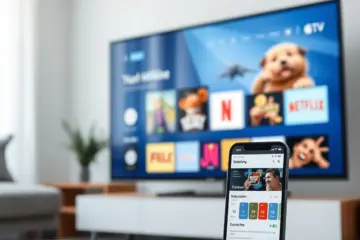
The Ultimate Guide To Downloading All-In-One TV Apps
Chapter 1: Understanding IPTV Apps – What You’re Actually Downloading
IPTV, or Internet Protocol Television, represents a significant shift from traditional broadcasting by delivering television content directly through internet networks. These applications serve as digital gateways that transform your internet connection into a comprehensive television service, essentially functioning as software that decodes and displays video streams transmitted via internet protocols [AllInOneTV – What is IPTV].
The Core Technology Behind IPTV
The fundamental technology operates by converting television signals into data packets that travel across internet networks. When you use an IPTV app, it communicates with content-hosting servers, requesting specific channels or programs. The server then streams content directly to your device in real-time or on-demand, enabling features like pause, rewind, and recording that traditional broadcasting cannot offer [AllInOneTV – Complete IPTV Guide].
Main Categories of IPTV Applications
Legal subscription services operate through licensed content agreements with broadcasters and content creators. These services include major providers like All In One TV subscription plans that offer comprehensive channel packages. Legal services ensure content creators receive proper compensation while maintaining broadcast quality standards and providing reliable customer support with regular service updates.
The distinction between free and paid applications is significant. Free IPTV apps often come with limitations including restricted channel selections, frequent advertisements, and potential security risks. Paid applications typically offer superior streaming quality, extensive channel libraries, and enhanced features like 4K streaming capabilities. Many providers offer risk-free trials to help users evaluate services before committing.
Platform-Specific Integration
Many IPTV services offer dedicated applications optimized for specific platforms. For instance, Samsung Smart TVs and LG Smart TVs have IPTV applications that integrate seamlessly with their operating systems. These platform-specific apps typically provide better performance and user interface optimization compared to generic applications.
Streaming devices like Firestick have become popular platforms for IPTV services. The process for setting up IPTV on Firestick is straightforward, typically taking under 10 minutes. Similarly, Android boxes support various IPTV applications, offering flexibility in service selection and customization.
Specialized IPTV Applications
Some IPTV applications specialize in specific content categories. For example, sports-focused IPTV services prioritize live sporting events with comprehensive coverage of various leagues and tournaments. These specialized applications often include features like multi-screen viewing and instant replays.
Applications designed for international channel access provide content from multiple countries and languages. These services cater to multicultural audiences and expatriates seeking content from their home countries, typically offering extensive channel lineups spanning multiple regions.
Understanding Legal Considerations
When downloading IPTV apps, it’s crucial to understand the legal landscape in your country. Legal IPTV services operate with proper licensing agreements and content distribution rights, ensuring compliance with copyright laws while providing legitimate access to broadcast content. Always verify any service’s legitimacy before subscribing to avoid potential legal issues and ensure content quality.
Chapter 2: Top All-in-One TV Apps for 2024
Mainstream Streaming Platforms
Netflix continues to dominate the streaming landscape with its extensive content library and user-friendly interface. The platform offers multiple subscription tiers, including a basic plan with ads for budget-conscious viewers. Netflix’s original programming remains a major draw, with critically acclaimed series and films released regularly, plus excellent cross-platform compatibility across smart TVs, mobile devices, and gaming consoles.
Disney+ has established itself as the premier destination for family entertainment and major franchises. The platform combines content from Disney, Pixar, Marvel, Star Wars, and National Geographic into one comprehensive package. Disney+ offers bundle options with Hulu and ESPN+, creating a versatile entertainment ecosystem. For those seeking affordable entertainment options, Disney+ provides excellent value for families.
Amazon Prime Video stands out by combining streaming with additional Amazon benefits. Subscribers gain access to Prime shipping, music streaming, and exclusive content. The platform features an impressive selection of original series and movies, plus the ability to rent or purchase additional content, integrating seamlessly with other Amazon services for a comprehensive entertainment solution.
Hybrid and Specialized Services
Hulu offers a unique hybrid approach with both on-demand content and live TV streaming. The service provides access to current-season TV shows shortly after airing, plus an extensive library of classic series. Hulu’s live TV package includes major broadcast networks and popular cable channels, making it ideal for viewers wanting both traditional television and streaming content in one platform.
YouTube TV has emerged as a leading cable replacement service with comprehensive channel offerings. The platform includes local broadcast networks, sports channels, and entertainment networks in a single package, providing unlimited cloud DVR storage and supporting multiple simultaneous streams – perfect for households seeking a complete television experience without traditional cable contracts.
Advanced IPTV Solutions
For specialized streaming experiences, IPTV applications offer powerful alternatives. Tivimate stands out as a premium IPTV player with advanced features and customization options, while Smart IPTV provides reliable performance across various devices. These applications work seamlessly with IPTV subscription plans to deliver comprehensive channel access.
Modern streaming solutions increasingly focus on integration and compatibility. Many platforms now offer apps for smart TVs, streaming devices, and mobile platforms. For instance, Samsung Smart TV users can access most major streaming services through dedicated applications, while LG Smart TV owners benefit from comprehensive app support across leading streaming platforms.
Content-Specific Platforms
Sports enthusiasts have specialized options tailored to their viewing preferences. Services like ESPN+ and dedicated sports packages within larger platforms provide comprehensive coverage. Additionally, sports-focused IPTV subscriptions offer extensive live sports coverage from around the world, typically including premium sports channels and pay-per-view events.
For viewers seeking global entertainment, several platforms specialize in international content. Services like Rakuten Viki and BritBox cater to specific regional preferences, while international channel IPTV subscriptions provide access to programming from multiple countries – perfect for multicultural households or viewers interested in foreign content.
Technical Considerations
When choosing streaming apps, device compatibility remains crucial. Most major services support popular platforms including Firestick, Android TV, and Apple TV. For example, Firestick users can easily install and configure preferred streaming applications, while Android box owners have access to extensive app stores with numerous streaming options.
Premium streaming experiences increasingly focus on video quality. Services like Netflix, Disney+, and Amazon Prime Video offer extensive 4K content libraries. Furthermore, specialized 4K IPTV plans provide ultra-high-definition streaming for compatible devices, requiring adequate internet speed for optimal performance.
Chapter 3: Finding Your IPTV Portal Link – Step by Step
Understanding IPTV Portal Links
Your IPTV portal link serves as the gateway to your streaming service, connecting your device to the provider’s server. This unique URL contains your subscription credentials and channel lineup. Without the correct portal link, you cannot access your IPTV service, making this step crucial for proper setup and functionality.
Step-by-Step Retrieval Process
Most IPTV providers send portal information immediately after purchase. Check your email inbox, including spam folders, for a welcome message containing your unique portal URL, username and password, setup instructions, and support contact information. If you’ve purchased from AllInOneTV, your portal details should arrive within minutes of completing your order.
Many IPTV services offer customer portals where you can retrieve connection details. Log into your provider’s website using account credentials to find active subscription status, portal URL information, M3U playlist links, and device management options. If you cannot locate your portal link, contact your provider’s support team with purchase information including date, email used, payment confirmation, and reference numbers.
Understanding Different Link Types
IPTV providers typically offer several connection methods. Most services use web-based portals requiring server URL (e.g., http://provider-server.com:8080), username and password, and device identification. Some providers offer M3U playlist URLs containing all channels in a single file, typically including credentials and expiring periodically for security purposes.
Testing and Security Measures
Once you have portal information, test it immediately by entering the URL in your IPTV player, inputting credentials, checking for successful connection, and verifying channel loading. If the link fails, contact support promptly while subscription details are fresh.
Protect your portal link like any sensitive information: never share the URL publicly, use secure connections only, change passwords regularly, and monitor for unauthorized access. Be aware that some portal links have expiration dates, and you may need to contact your provider for refreshed links if yours stops working.
Chapter 4: Safe Download Practices & Security Considerations
Source Verification and Authentication
When downloading IPTV applications, always prioritize official app stores and verified sources. Third-party app stores and direct APK downloads can expose your devices to malware and security vulnerabilities. Research each application thoroughly before installation, checking user reviews, developer credentials, and update frequency to ensure legitimacy and security.
Legal Compliance and Regional Regulations
Understanding the legal landscape in your country is essential before downloading any IPTV application. Legal IPTV services operate with proper licensing agreements and content distribution rights, ensuring compliance with copyright laws. Using unverified or illegal services can result in legal consequences and security risks, including data breaches and malware infections.
Security Best Practices
Implement comprehensive security measures when using IPTV services. Use strong, unique passwords for each service and enable two-factor authentication when available. Regularly update your applications and device firmware to patch security vulnerabilities. Consider using a reputable VPN service to encrypt your internet connection and protect your privacy while streaming.
Avoid downloading modified or “cracked” versions of IPTV applications, as these often contain malware or spyware. Stick to official versions from legitimate sources, even if they require payment. The cost of a legitimate subscription is minimal compared to potential security breaches or legal issues from using unauthorized software.
Payment Security
When purchasing IPTV subscriptions, use secure payment methods and avoid providers requesting unconventional payment forms like cryptocurrency or gift cards. Legitimate services typically offer standard payment options including credit cards and PayPal. Check for SSL encryption on payment pages and verify the provider’s contact information and customer support availability.
Chapter 5: Setting Up Your Streaming Device for IPTV
Fire TV Stick Configuration
Setting up your Fire TV Stick for IPTV requires enabling “Apps from Unknown Sources” in device settings. Navigate to Settings > My Fire TV > Developer Options and toggle this setting on. Install the Downloader app from the Amazon App Store or use the official Amazon Silk Browser to access download links. For detailed instructions, consult our guide on how to set up IPTV subscription on Firestick.
Recommended IPTV applications for Firestick include IPTV Smarters Pro, TiviMate, Perfect Player, and OTT Navigator. Each offers unique features: TiviMate provides advanced playlist management for power users, while IPTV Smarters Pro remains popular for its user-friendly interface and comprehensive channel organization.
Android TV Setup Process
Android TV devices offer straightforward IPTV setup through the Google Play Store. Search for preferred IPTV applications and install directly, though some premium apps may require sideloading via APK files. Our guide on the best IPTV services for Android box covers optimal app selection and configuration tips.
Optimize Android TV for IPTV streaming by enabling “Unknown Sources” in Security settings, clearing cache regularly for better performance, adjusting display settings for optimal video quality, and configuring network settings for stable streaming. Ensure sufficient storage space for app installations and temporary files, with regular maintenance to prevent buffering issues.
Device Optimization Strategies
Proper device optimization significantly enhances IPTV streaming experience. Ensure adequate internet connectivity following our guide on internet speed requirements for IPTV streaming. Implement performance enhancement strategies including using wired Ethernet connections when possible, closing background applications, updating device firmware regularly, clearing app cache weekly, and restarting devices periodically.
Consider using a VPN for enhanced security and access to geo-restricted content. Many IPTV services work better with VPN connections, especially for international channel access. Power users can explore advanced settings including buffer size adjustments, video player preferences, electronic program guide (EPG) configuration, channel grouping customization, and parental controls activation.
Troubleshooting and Maintenance
For streaming problems, implement troubleshooting steps including checking internet connection stability, verifying IPTV service subscription status, updating applications to latest versions, restarting streaming devices, and clearing application data if issues persist. For persistent problems, consult our comprehensive guide on navigating AllinOneTV streaming covering common technical issues and solutions.
Test different configurations to find optimal settings for your specific setup and internet conditions. Regular optimization ensures consistent, high-quality IPTV streaming across all devices, providing the best possible viewing experience while maintaining security and performance standards.