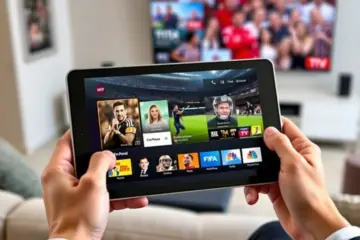
IPTV Apps With Cloud Sync Feature The Ultimate Guide
Understanding Cloud Sync in IPTV
Cloud synchronization (cloud sync) in IPTV refers to the technology that automatically saves your viewing preferences, watch history, favorites, and personalized settings to remote servers. This creates a seamless, unified entertainment experience across all your devices. When you switch from your smart TV to your mobile device or tablet, cloud sync ensures your entertainment follows you exactly where you left off.
Unlike traditional cable or satellite TV that’s tied to a single location, cloud-synced IPTV transforms your viewing into a personalized, portable experience. Your watchlist, parental controls, and even paused moments sync instantly between devices through secure cloud infrastructure. This technology represents a fundamental shift from device-locked entertainment to truly personalized streaming that adapts to your lifestyle.
According to streaming behavior analysis, the average viewer uses 3.4 different devices for content consumption weekly, making seamless transitions between devices a necessity rather than a luxury. Cloud sync enhances content discovery by maintaining consistent recommendations across your ecosystem, creating a more intelligent and personalized content curation system that improves with each viewing session.
Top IPTV Apps with Cloud Sync Features
TiviMate IPTV Player
TiviMate stands out as one of the most popular IPTV players with robust cloud synchronization capabilities. The premium version offers comprehensive sync features that preserve your channel lists, favorites, and viewing history across multiple devices. Its intuitive interface makes managing synchronized content straightforward, while the backup and restore functionality ensures your settings are never lost. TiviMate’s synchronization works seamlessly between Android TV devices, Fire TV sticks, and mobile devices running the app. [Source: AllInOneTV]
IPTV Smarters Pro
IPTV Smarters Pro provides excellent multi-screen synchronization through its cloud-based user management system. The app automatically syncs your favorite channels, video-on-demand watchlists, and series progress across up to four different devices. Its multi-screen functionality allows for simultaneous streaming on different devices under the same account, making it ideal for families. The app’s synchronization extends to parental controls and interface preferences, ensuring a consistent experience regardless of which device you’re using. [Source: AllInOneTV]
Xciptv Player
Xciptv Player offers reliable cloud synchronization with its built-in backup and restore features. The app automatically saves your configuration settings, channel organization, and viewing history to the cloud, allowing for quick setup on new devices. Its synchronization capabilities extend to EPG (Electronic Program Guide) data and catch-up content bookmarks. The player’s multi-device support ensures that your entertainment preferences follow you across smartphones, tablets, and television sets without manual intervention. [Source: TechHive]
Perfect Player
Perfect Player provides straightforward yet effective synchronization through its playlist and favorites management system. While less automated than some competitors, it offers reliable manual synchronization options that allow users to maintain consistent settings across devices. The app’s XMLTV and playlist import/export features facilitate cross-device consistency, particularly for users who maintain their own customized channel lists. Its lightweight design ensures that synchronization doesn’t impact streaming performance. [Source: AllInOneTV]
How Cloud Sync Enhances Your Viewing Experience
Modern entertainment demands flexibility, and IPTV cloud synchronization delivers exactly that. This technology enables seamless transitions between your smartphone, tablet, and television without losing your place in a show or movie. As viewers increasingly consume content across multiple screens, cloud sync has become an essential feature for premium streaming services.
Cloud synchronization works by storing your viewing data—including watch history, favorites, and paused positions—on remote servers rather than individual devices. When you switch from your living room TV to your mobile device, the system automatically retrieves your latest viewing status. This creates a truly continuous entertainment experience that adapts to your lifestyle.
According to streaming technology experts, this involves distributed databases that update across multiple server locations, ensuring quick access to your viewing data regardless of which device you’re using. The system tracks your progress with timestamp precision, so you never miss a moment when moving between screens.
Research from streaming technology analysts confirms that services offering robust multi-device synchronization see significantly higher user engagement and satisfaction rates. The convenience extends beyond simple continuity to preserving your customized settings across devices, including preferred language options, subtitle preferences, and parental controls.
Setting Up Cloud Sync: Step-by-Step Guide
Setting Up Cloud Sync on IPTV Smarters Pro
IPTV Smarters Pro offers one of the most straightforward cloud synchronization setups. First, install the app from your device’s official app store. After launching, you’ll need to enter your subscription details, which typically include your username, password, and the portal URL provided by your IPTV service.
For cloud sync, navigate to the app’s settings menu. Look for an option labeled “Multi-Screen” or “Multi-Device Sync.” Activate this feature and ensure you are logged into the same account on all your devices. This allows your watchlist, favorites, and playback progress to be automatically synchronized across smartphones, tablets, and smart TVs. Consequently, you can start a movie on your TV and finish it on your tablet without losing your place.
Configuring Sync on TiviMate
TiviMate is a popular player for its premium interface and robust features, including backup and restore. To set up sync, you first need a TiviMate Premium account. Open the app, go to Settings, and select the “General” section. Here, you will find the backup options.
Choose to create a backup, which saves your playlist data, settings, and favorites to a cloud storage service like Google Drive. To restore this data on another device, simply install TiviMate, log in with the same premium account, and use the “Restore” function from the same menu. This process effectively syncs your entire setup across different installations, making it ideal for users with multiple Android devices or Fire TV Sticks.
Using Xtream Codes for Automatic Sync
Many modern IPTV services use Xtream Codes API, which inherently supports synchronization. When you configure an app like IPTV Smarters Pro or a similar player with your Xtream Codes login, your account details are managed on the provider’s server.
This server-side management means your channel list, electronic program guide (EPG), and on-demand content are automatically consistent across all devices. There is no additional setup required from the user’s end beyond the initial login. Therefore, if your provider uses this system, your syncing is handled seamlessly in the background.
Multi-Device Streaming Made Easy
Cloud synchronization enables true entertainment continuity. Start watching a movie on your living room television, continue during your commute on your smartphone, and finish on your bedroom smart TV—all without missing a beat. This fluid experience is particularly valuable for expat viewers and frequent travelers who rely on consistent access to their preferred content regardless of location.
Modern IPTV services with cloud sync support multiple user profiles with individual preferences, watchlists, and viewing histories. Each family member enjoys their own customized entertainment environment that remains consistent whether they’re watching on the main family television or their personal devices. This personalization extends to language preferences, subtitle settings, and content restrictions.
To take advantage of cloud synchronization, ensure you’re using compatible applications across all your devices. Most modern IPTV services provide dedicated apps for Android, iOS, and smart TV platforms. For optimal performance, verify that you’re logged into the same account on each device and that all applications are updated to the latest version.
When configuring your IPTV Smarters Pro for multiple devices, the synchronization typically happens automatically once your subscription is properly activated across all platforms. Similarly, if you’re using TiviMate IPTV player, the premium version offers enhanced synchronization features that maintain your viewing continuity.
Security and Privacy Considerations
While IPTV cloud synchronization offers incredible convenience for accessing your favorite content across multiple devices, it also introduces specific security considerations that users should understand. Cloud-based IPTV services store your viewing preferences, watchlists, and account information on remote servers, making data protection a priority for both providers and consumers.
According to cybersecurity experts, the primary risks associated with IPTV cloud services include potential data breaches, unauthorized access to personal information, and interception of streaming data. Kaspersky’s research indicates that unsecured IPTV services can expose users to malware, phishing attempts, and privacy violations. Therefore, choosing reputable providers with robust security measures becomes essential for safe streaming.
Protecting your privacy while using IPTV cloud features requires implementing several key strategies. First, always use strong, unique passwords for your IPTV accounts and enable two-factor authentication when available. Many security breaches occur through credential stuffing attacks where hackers use compromised passwords from other services.
Additionally, consider using a VPN service specifically configured for IPTV streaming. A quality VPN encrypts your internet connection, preventing your Internet Service Provider and potential eavesdroppers from monitoring your viewing habits. This is particularly important for users accessing geo-restricted content or those concerned about their privacy.
Understanding how IPTV providers handle your data is crucial for privacy protection. Reputable services should clearly outline their data collection practices, retention policies, and sharing arrangements in their privacy policies. Look for providers that collect only necessary information and allow you to control your privacy settings.
Future of IPTV Cloud Technology
AI-Powered Personalization and Content Discovery
The next generation of IPTV cloud technology will leverage artificial intelligence to transform how viewers discover and interact with content. Advanced machine learning algorithms will analyze viewing habits, preferences, and even time-of-day patterns to deliver hyper-personalized recommendations. For instance, these systems can learn that you prefer sports highlights in the morning and movies in the evening, automatically curating content accordingly.
Moreover, natural language processing will enable more intuitive voice-controlled interfaces. Instead of navigating complex menus, you’ll simply ask your IPTV service to “find comedy shows from the 90s” or “continue watching where I left off yesterday.” This AI-driven approach extends to dynamic content organization, where your channel list and on-demand library automatically rearrange based on your usage patterns.
5G Integration and Edge Computing
The rollout of 5G networks will dramatically enhance IPTV cloud capabilities through reduced latency and increased bandwidth. This enables higher quality streaming, including widespread adoption of 8K content and more reliable 4K streaming. More significantly, 5G facilitates the integration of edge computing, where processing occurs closer to the end-user rather than in centralized data centers.
Edge computing reduces buffering and improves response times for interactive features. For live events, this means near-instantaneous synchronization across all viewers, eliminating the slight delays that currently occur between different streams. The combination of 5G and edge computing will also enable new applications like augmented reality overlays for sports broadcasts and immersive 360-degree video experiences.
Blockchain and Enhanced Security
Emerging blockchain technology will address critical security and rights management challenges in IPTV services. Distributed ledger technology can create transparent, tamper-proof systems for content licensing and distribution rights. This ensures that content creators are properly compensated while providing viewers with verification of content legitimacy.
Blockchain-based digital rights management (DRM) will offer more sophisticated access control while maintaining user privacy. Additionally, smart contracts can enable innovative subscription models, such as micropayments for individual pieces of content or dynamic pricing based on demand. These security enhancements are crucial as IPTV services expand, particularly for users concerned about legal compliance in their region.
Environmental and Efficiency Improvements
Future IPTV cloud infrastructure will prioritize energy efficiency and environmental sustainability. Advanced compression algorithms like AV1 and VVC (Versatile Video Coding) will reduce bandwidth requirements by up to 50% compared to current standards, decreasing the carbon footprint of video streaming. Cloud providers are increasingly powering data centers with renewable energy sources and implementing sophisticated cooling technologies.
Intelligent content delivery networks will optimize routing based on both performance and energy consumption. During periods of high demand, these systems can dynamically adjust video quality to balance user experience with infrastructure load. These efficiency improvements benefit both providers and consumers, potentially leading to lower subscription costs and reduced environmental impact.
Sources
- AllInOneTV – Best IPTV Providers for Stable Live TV Streaming 2025 Update
- AllInOneTV – Best IPTV Services for Firestick, Android, and Smart TV in 2025
- AllInOneTV – Best IPTV Streaming Apps for Android, iOS, and Smart TVs
- AllInOneTV – How Much Internet Speed Do You Need for IPTV Streaming?
- AllInOneTV – How to Renew Your IPTV Subscription: A Step-by-Step Guide
- AllInOneTV – How to Set Up IPTV Subscription on Firestick in Under 10 Minutes
- AllInOneTV – How to Use VPN for IPTV: A Comprehensive Guide to Unlocking Global Streaming
- AllInOneTV – IPTV Smarters Pro 2025 Update: Explore New Features and Installation Guide
- AllInOneTV – IPTV Smarters Pro for Four Devices: A Comprehensive Download and Configuration Guide
- AllInOneTV – IPTV Smarters Pro Setup Guide: A Comprehensive Step-by-Step Tutorial
- AllInOneTV – IPTV Subscription Plans Explained: How to Choose the Right One
- AllInOneTV – Is IPTV Legal in My Country? Understanding the Legalities and Best Practices
- AllInOneTV – Is IPTV Legal in the USA? Updated 2025 Legal Overview
- AllInOneTV – Latest IPTV Trends in 2025: What’s Changing in the Streaming World
- AllInOneTV – Perfect Player IPTV Setup Guide: From Installation to Channels
- AllInOneTV – The Best IPTV Services for Expats: Stay Connected to Home
-
Categories: IPTV APP