The Ultimate Guide To The 61 Best IPTV Android Apps For Tablets
Why Tablets Excel for IPTV Viewing
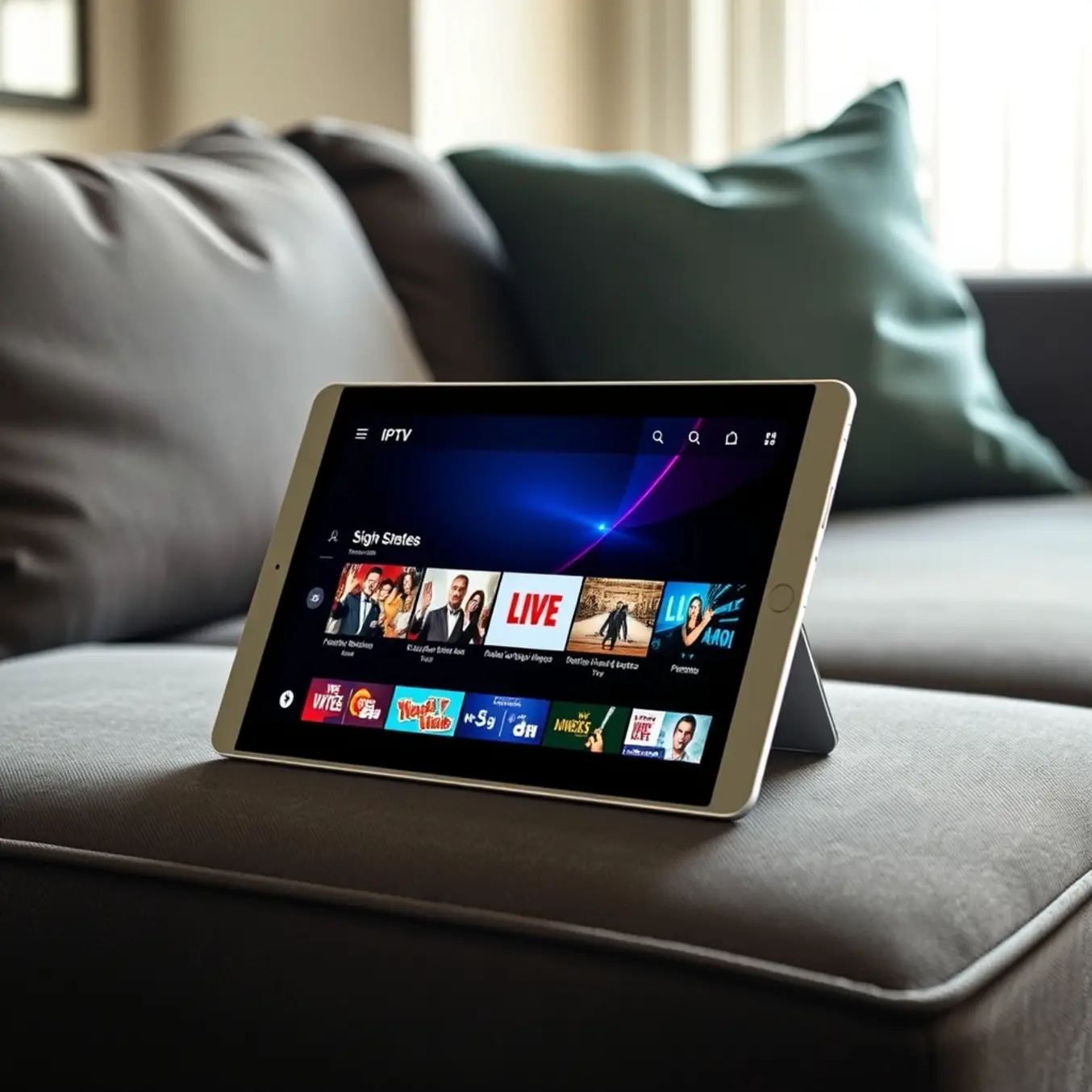
Tablets offer a unique sweet spot for IPTV streaming that combines the best features of phones and televisions. Their larger screens provide a more immersive viewing experience than smartphones, while their portability makes them more flexible than fixed television setups. According to streaming experts, tablets typically feature higher resolution displays than phones, with many modern models supporting Full HD or even 4K resolution [Source: Digital Trends].
Furthermore, tablets strike an ideal balance between screen size and viewing distance. Research shows that the average viewing distance for tablets is 14-16 inches, which creates a more engaging experience than phone viewing while maintaining the personal nature of the content [Source: National Library of Medicine]. This makes tablets perfect for both individual viewing and small group watching scenarios.
Superior Portability and Flexibility
Unlike televisions that remain fixed in one location, tablets enable IPTV viewing anywhere in your home or on the go. This flexibility means you can continue watching your favorite shows while cooking in the kitchen, relaxing in the backyard, or traveling. Modern tablets also feature longer battery life than smartphones, typically offering 8-12 hours of continuous streaming [Source: TechRadar].
Additionally, tablets support multiple connectivity options including Wi-Fi, cellular data, and Ethernet adapters, ensuring you can maintain your IPTV connection in various environments. Many users find that tablets provide the perfect secondary screen for sports events or news while working on other tasks.
Choosing the Right IPTV App for Your Tablet
Before configuring IPTV on your tablet, you’ll need to select a compatible player app. Popular options include IPTV Smarters Pro, TiviMate, and Perfect Player, all available through official app stores. For instance, IPTV Smarters Pro offers a user-friendly interface specifically designed for mobile devices, while TiviMate provides advanced customization for power users. These apps serve as the gateway to your IPTV service, allowing you to input your subscription details and access your channel lineup.
When selecting an app, consider factors like ease of use, electronic program guide (EPG) support, and multi-screen capabilities. Many quality IPTV apps offer free versions with basic functionality, while premium versions unlock advanced features like recording and multi-device support. Our comprehensive guide to the best IPTV streaming apps provides detailed comparisons to help you make an informed choice.
IPTV Smarters Pro: The All-in-One Tablet Solution
IPTV Smarters Pro stands out as one of the most versatile IPTV applications for tablet users, offering a comprehensive entertainment solution. This feature-rich app supports multiple playlist formats including M3U and Xtream Codes API, making it compatible with virtually any IPTV service. The interface is specifically optimized for touchscreen navigation, with large, clearly labeled buttons and intuitive swipe gestures that make channel browsing effortless on tablet screens.
The application includes a built-in video player that supports various streaming formats, along with advanced features like catch-up TV and electronic program guide (EPG) integration. For multi-device households, IPTV Smarters Pro allows you to manage multiple IPTV subscriptions within a single interface. Additionally, the app offers parental control options and the ability to create favorite channel lists, enhancing the personalized viewing experience on tablets.
TiviMate: The Premium IPTV Experience for Tablets
TiviMate has earned its reputation as a premium IPTV player, particularly favored by users who prioritize customization and advanced features. While the basic version offers solid functionality, the premium subscription unlocks the app’s full potential with features like multi-screen support and comprehensive recording capabilities. The interface is specifically designed for larger screens, with a clean, modern layout that maximizes the tablet’s display real estate.
One of TiviMate’s standout features for tablet users is its sophisticated EPG implementation, which provides detailed program information in an easily navigable grid format. The app supports multiple playlists and allows for extensive customization of the viewing experience, including theme options and layout adjustments. For users who want granular control over their IPTV setup, TiviMate offers advanced settings for buffer size, user agent configuration, and audio/video codec preferences.
Perfect Player: Lightweight and Efficient Tablet Streaming
Perfect Player offers a streamlined alternative for tablet users who prefer simplicity and performance over extensive features. This lightweight application focuses on delivering stable IPTV streaming with minimal resource consumption, making it ideal for older tablets or devices with limited processing power. The interface follows a traditional TV guide approach, which many users find familiar and easy to navigate on tablet displays.
Despite its simplicity, Perfect Player includes essential features like EPG support, favorites management, and hardware acceleration options. The app supports both M3U and Xtream Codes playlists and offers reliable playback performance across various network conditions. For tablet users seeking a no-frills IPTV solution that just works, Perfect Player provides excellent value without overwhelming complexity.
Setting Up Your Tablet for IPTV
To maximize your IPTV experience on tablets, proper setup and optimization are crucial. Begin by selecting the right IPTV app for your device. Popular options include IPTV Smarters Pro, TiviMate, and Perfect Player, all of which offer tablet-optimized interfaces.
Adding Your IPTV Playlist to the App
Once you’ve installed your preferred IPTV app, the next step involves adding your playlist. Most providers deliver this information through an M3U link or Xtream Codes API details. To add your playlist, open your IPTV app and navigate to the “Add Playlist” or “Add User” section. Here, you’ll typically find two methods for configuration:
- M3U URL Method: Paste your complete M3U playlist URL provided by your IPTV service. This method automatically imports all your channels and categories.
- Xtream Codes API: Enter your server URL, username, and password separately. This method often provides better integration with app features.
According to streaming experts at Digital Trends, the Xtream Codes method generally offers more stable performance and faster channel loading. After entering your credentials, save the configuration and allow the app to load your channel list. This process may take several minutes depending on your internet speed and the size of your playlist.
Network Configuration for Smooth Streaming
Tablets perform best with stable internet connections. For optimal IPTV performance, ensure your tablet connects to a 5GHz Wi-Fi network whenever possible, as this band offers less interference and higher speeds than 2.4GHz networks [Source: How-To Geek]. If you experience buffering issues, consider using an Ethernet adapter for wired connectivity or positioning your tablet closer to your router.
Moreover, adjusting your streaming quality settings can significantly improve performance. Most IPTV apps allow you to select video quality based on your internet speed. For reference, our guide on IPTV internet speed requirements provides detailed recommendations for different quality levels.
Organizing Your Channel List for Easy Navigation
A well-organized channel list significantly enhances your viewing experience. Most IPTV apps allow you to create favorite lists, hide unwanted channels, and sort categories according to your preferences. Begin by reviewing your loaded channels and identifying those you watch regularly. Create a “Favorites” group for quick access to these channels, eliminating the need to scroll through hundreds of options.
Additionally, consider organizing channels by genre, language, or country. For international content enthusiasts, our guide to IPTV subscriptions with international channels offers valuable insights into optimizing foreign content. Many apps also support parental controls, allowing you to restrict access to specific channels or content categories—particularly useful for family viewing.
Essential Tablet Setup Tips
Proper tablet configuration can dramatically enhance your IPTV viewing experience. Start by adjusting your display settings for optimal video playback. Enable any available video enhancement features in your tablet’s settings, such as HDR mode or motion smoothing, if supported by your device.
Audio and Accessory Enhancements
While tablet speakers have improved significantly, connecting external audio devices can transform your viewing experience. Bluetooth speakers or headphones provide superior sound quality for movies and sports events. Many users also benefit from tablet stands or mounts that allow for hands-free viewing at optimal angles.
For the best performance, regularly update both your IPTV app and tablet operating system. Developers frequently release optimizations that improve streaming stability and video quality. Additionally, consider using a VPN service to access geo-restricted content and enhance your privacy while streaming.
Free vs Premium IPTV: Key Differences
When choosing between free and premium IPTV services, understanding their fundamental differences is crucial for making an informed decision. Free IPTV apps typically offer limited channel selections, often with unreliable streams and frequent buffering issues. In contrast, premium services provide extensive channel libraries, superior streaming quality, and dedicated customer support.
Free options usually lack official licensing agreements, which can raise legal concerns in some regions. Meanwhile, premium providers typically operate within legal frameworks, offering peace of mind alongside enhanced viewing experiences. The stability and reliability of paid services often justify their subscription costs for regular viewers.
Content Limitations and Channel Availability
Free IPTV applications frequently restrict access to popular channels, especially premium sports networks and recent movie releases. These services may offer only basic local channels or limited international content. Premium IPTV subscriptions, however, typically include thousands of channels spanning multiple countries and genres.
According to recent streaming industry analysis, premium services often provide access to exclusive content not available through free alternatives. This includes live sports events, premium movie channels, and specialized programming that free services cannot legally distribute. The comprehensive channel selection makes premium options particularly valuable for viewers seeking diverse entertainment options.
Streaming Quality and Reliability Comparison
Streaming performance represents one of the most significant differentiators between free and premium IPTV services. Free applications often struggle with inconsistent video quality, ranging from standard definition to occasional HD streams. These services frequently experience buffering during peak viewing hours due to server limitations.
Premium IPTV providers typically guarantee high-definition and 4K streaming capabilities with minimal buffering. They maintain robust server infrastructure specifically designed to handle high traffic volumes. This ensures smooth playback even during popular live events, making premium services ideal for sports enthusiasts and movie lovers who value uninterrupted viewing experiences.
Exclusive Premium Features
Premium IPTV subscriptions distinguish themselves through exclusive features that enhance the overall viewing experience. These typically include electronic program guides (EPG), video-on-demand libraries, catch-up TV functionality, and multi-screen viewing capabilities. Additionally, premium services often offer cloud-based DVR features, allowing users to record live television for later viewing.
Many premium providers also include advanced parental controls, multiple language options, and dedicated applications for various devices. These features create a comprehensive entertainment ecosystem that free services cannot match. The integration of these premium functionalities significantly improves user convenience and content accessibility.
Free Trial Opportunities
Most reputable premium IPTV providers offer free trial periods, allowing potential subscribers to evaluate their services before committing. These trials typically last 24 to 72 hours and provide full access to channel lineups and features. Free trials serve as valuable opportunities to assess streaming quality, channel selection, and overall service reliability.
During trial periods, prospective subscribers should test various aspects of the service, including live streaming performance, video-on-demand content, and electronic program guide functionality. This hands-on evaluation helps determine whether the service meets specific viewing requirements and performance expectations before making financial commitments.
Many premium providers, including AllinoneTV, offer extended trial opportunities that allow thorough service evaluation. Taking advantage of these trial periods represents the most reliable method for comparing different IPTV options and selecting the service that best aligns with your entertainment needs and budget considerations.
Advanced Tablet Features for IPTV
Tablets offer advanced streaming capabilities that enhance the IPTV experience. Many tablets support picture-in-picture mode, allowing you to watch live TV while using other applications. This feature is particularly useful for monitoring sports events or news broadcasts while working or browsing.
Additionally, tablets excel at multi-tasking with IPTV. You can easily switch between different streaming apps, check program guides, and manage your watchlist simultaneously. The touch interface also provides more intuitive navigation compared to television remote controls, especially when browsing large channel lists or program guides.
Multi-Window Mode for Enhanced Productivity
One of the most powerful tablet features for IPTV enthusiasts is multi-window mode. This functionality allows you to watch your favorite shows while simultaneously browsing the internet, checking social media, or even working on other tasks. For sports fans, this means you can follow live games while tracking statistics or participating in online discussions. Meanwhile, Android tablets and iPads both support split-screen viewing, though implementation varies between operating systems and specific models.
Picture-in-Picture Functionality
Many tablets also support Picture-in-Picture (PiP) mode, which lets you continue watching IPTV content in a small floating window while using other applications. This is particularly useful for keeping an eye on news broadcasts or sporting events while responding to emails or messages. The PiP window can typically be resized and repositioned, offering flexibility in how you multitask during your streaming sessions.
Touch Interface Advantages
Tablets provide intuitive touch controls that make navigating IPTV apps remarkably straightforward. The direct manipulation interface allows for quick channel switching, volume adjustment, and playback control with simple gestures. Many IPTV applications are specifically optimized for tablet touchscreens, offering larger buttons and more responsive interfaces than their smartphone counterparts. Furthermore, touch screens enable features like pinch-to-zoom for focusing on specific content details and swipe gestures for rapid navigation through channel lists.
Comparing Tablet Performance Against Other Devices
Tablets outperform phones in several key areas for IPTV usage. Their larger screens make them better for extended viewing sessions, reducing eye strain compared to smaller phone displays. Tablets also typically feature more robust cooling systems, allowing for longer streaming periods without performance throttling.
Meanwhile, compared to televisions, tablets offer greater app compatibility and more frequent updates. Many smart TV platforms receive infrequent software updates, while tablet apps are regularly maintained with new features and security patches. This ensures better long-term compatibility with your IPTV subscription plans.
Battery Life Considerations
Unlike televisions that require constant power connection, tablets provide cord-free viewing for extended periods. Modern tablets can stream IPTV content for 6-10 hours on a single charge, making them ideal for travel or power outage situations. For even longer viewing sessions, consider tablets with power-saving modes or external battery packs.
Tablets also consume significantly less energy than televisions, making them more environmentally friendly and cost-effective for personal viewing. According to energy consumption studies, tablets use approximately 90% less electricity than large-screen televisions during comparable viewing sessions [Source: U.S. Department of Energy].
Understanding IPTV Legality and Security
IPTV services operate in a complex legal landscape that varies significantly by country. Legitimate IPTV providers obtain proper licensing agreements with content creators and broadcasters, while illegal services distribute copyrighted material without authorization. The legality of your IPTV service depends on whether the provider has secured the necessary rights to distribute the content in your region.
In the United States, for example, the Digital Millennium Copyright Act governs copyright protection for digital content. Meanwhile, European countries enforce the Copyright Directive, which establishes rules for digital content distribution. Many countries have recently intensified enforcement against illegal IPTV services, with authorities targeting both providers and users in some cases.
To ensure you’re using legal IPTV services, look for providers that are transparent about their licensing agreements and have established business operations. Legitimate services typically require subscription payments through正规 payment processors and provide customer support. For more detailed information about IPTV legality in specific regions, check out our comprehensive guide on IPTV legalities by country.
Security Best Practices for IPTV Users
Protecting yourself from malware and scams requires implementing robust security measures when using IPTV services. Always use a reputable antivirus program and keep your streaming devices updated with the latest security patches. Avoid downloading IPTV applications from unofficial sources, as these may contain malware designed to steal personal information.
Consider using a VPN for IPTV streaming