The Ultimate Guide To The 56 Best VPN Routers For IPTV Streaming
Why You Need a VPN Router for IPTV Streaming
Unlock Global Content with VPN Router Protection
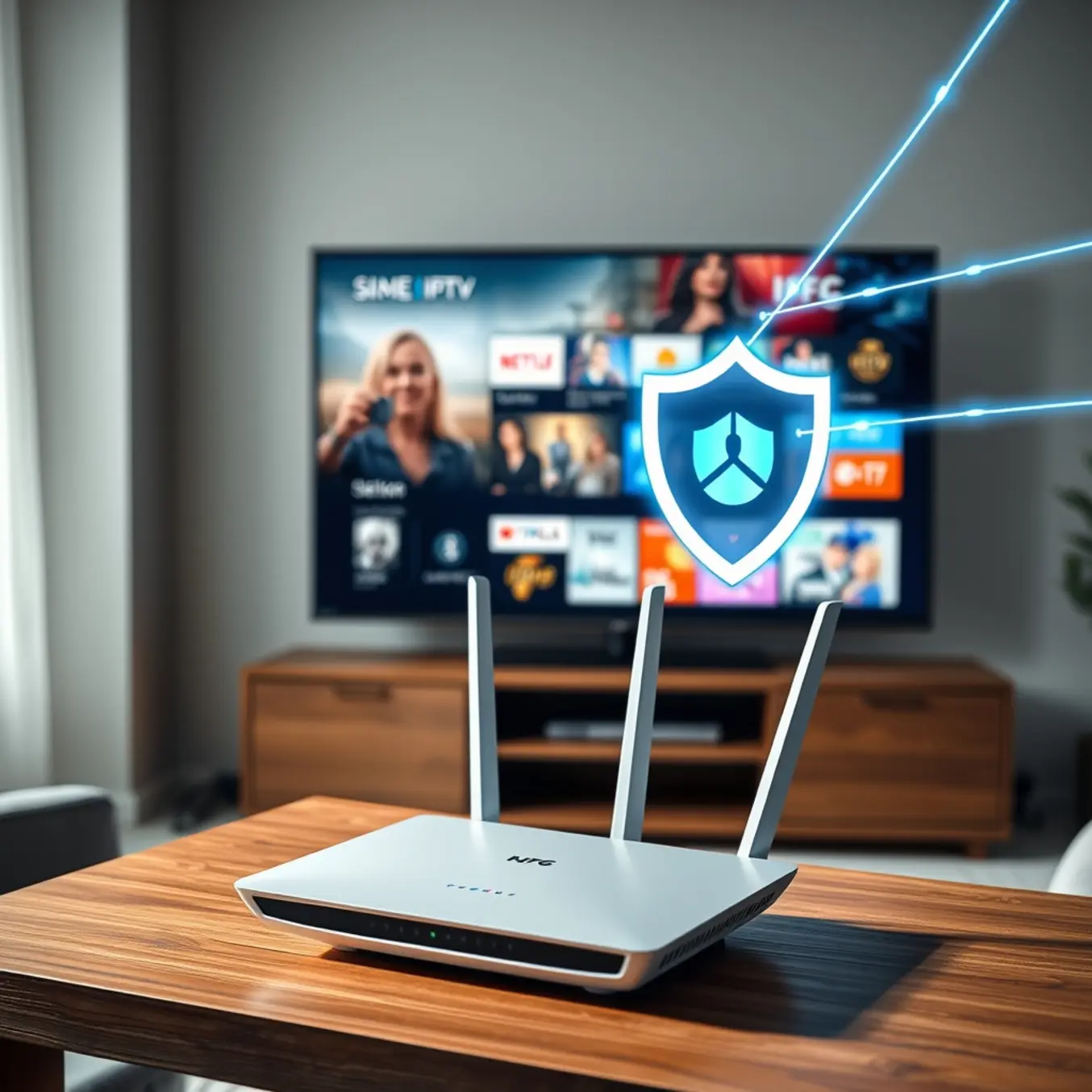
Streaming IPTV with a VPN router transforms your entertainment experience by providing seamless access to geo-restricted content worldwide. Many broadcasters limit their programming to specific regions, but a VPN-enabled router bypasses these restrictions by masking your actual location. This means you can enjoy international sports events, exclusive shows, and regional news channels that would otherwise be unavailable in your country. For instance, our international channels guide highlights how VPN routers expand your viewing options dramatically.
Enhanced Privacy and Security from ISP Monitoring
Your internet service provider constantly monitors your online activities, including IPTV streaming. Consequently, they can throttle your bandwidth during peak streaming hours, causing frustrating buffering. A VPN router encrypts all internet traffic from your devices, preventing ISPs from detecting your streaming habits. This encryption ensures complete privacy while maintaining consistent streaming quality. Moreover, our VPN for IPTV guide explains how this protection works across all connected devices simultaneously.
Buffer-Free International Streaming Performance
VPN routers eliminate buffering by maintaining stable connections to international servers. Traditional VPN setups on individual devices can sometimes slow down your connection, but dedicated VPN routers optimize traffic specifically for streaming. They provide dedicated bandwidth for IPTV services, ensuring smooth playback even for 4K content. Additionally, our buffering solutions article demonstrates how VPN routers prevent congestion during high-demand streaming periods.
Complete Household Coverage and Convenience
Unlike device-specific VPN applications, a VPN router protects every connected device in your home automatically. Smart TVs, gaming consoles, streaming boxes, and mobile devices all benefit from encrypted connections without individual configuration. This whole-network approach means your entire household enjoys protected streaming simultaneously. For multi-device setups, our multi-device configuration guide shows how VPN routers simplify the process.
Reliable 24/7 Connection Stability
VPN routers maintain persistent connections without requiring manual activation. They automatically reconnect if the VPN service experiences temporary interruptions, ensuring uninterrupted IPTV access. This reliability is crucial for live sports and event streaming where every moment counts. Furthermore, our stable streaming providers review emphasizes how VPN router compatibility enhances service performance.
Top 5 VPN Routers for Seamless IPTV Experience
Asus RT-AX86U: Gaming-Grade Performance for IPTV
The Asus RT-AX86U stands out as a premium VPN router specifically engineered for demanding streaming applications like IPTV. With its powerful 1.8GHz triple-core processor and support for the latest Wi-Fi 6 standard, this router delivers the consistent bandwidth and low latency required for buffer-free 4K streaming. Its built-in support for multiple VPN protocols, including OpenVPN and WireGuard, ensures robust security and easy configuration with leading VPN services.
Furthermore, the RT-AX86U features dedicated gaming and streaming acceleration technologies that prioritize IPTV traffic, preventing slowdowns even when other devices are connected. For users seeking a high-performance solution that can handle multiple 4K streams simultaneously, this model is an excellent choice. [Source: ASUS Official Site]
Netgear Nighthawk RAX50: Reliable Speed for Household Streaming
Netgear’s Nighthawk RAX50 offers a compelling blend of performance and user-friendliness for IPTV enthusiasts. This Wi-Fi 6 router provides extensive coverage and stable connections, which is crucial for maintaining a seamless IPTV experience across different rooms. While it doesn’t have native VPN client functionality, it can be easily configured with custom firmware like DD-WRT to enable VPN passthrough for your entire network.
Consequently, this allows you to protect all connected devices, including Smart TVs, streaming boxes, and gaming consoles, with a single VPN connection. The RAX50’s powerful processing ensures that the encryption overhead from the VPN does not significantly impact your streaming quality. [Source: NETGEAR Official Site]
TP-Link Archer AX6000: High-Capacity Connectivity
Designed for heavy-duty networking, the TP-Link Archer AX6000 is a powerhouse capable of supporting numerous connected devices without compromising on IPTV performance. Its eight high-gain antennas and advanced OFDMA technology efficiently manage network traffic, making it ideal for households with multiple simultaneous streamers. The router supports OpenVPN and PPTP protocols out-of-the-box, allowing for straightforward VPN setup.
Moreover, its robust hardware ensures that even with VPN encryption enabled, you can still enjoy high-bitrate 4K IPTV content without buffering. For families or shared living spaces where network demand is high, the Archer AX6000 provides a reliable and secure streaming foundation. [Source: TP-Link Official Site]
Synology RT2600ac: Security-First Approach
The Synology RT2600ac distinguishes itself with a strong emphasis on network security and management, making it a top pick for privacy-conscious IPTV users. Its intuitive SRM operating system includes a comprehensive VPN Plus package, supporting easy setup for VPN servers and clients. This means you can configure your preferred VPN service directly on the router to encrypt all outgoing traffic.
Additionally, the RT2600ac offers sophisticated traffic control and monitoring tools. These features allow you to prioritize your IPTV device, ensuring it always has the necessary bandwidth for a flawless viewing experience, even during peak internet usage times. [Source: Synology Official Site]
GL.iNet GL-AX1800: Compact Travel Companion
For IPTV users on the go, the GL.iNet GL-AX1800 is a versatile and portable VPN router solution. This compact device comes pre-installed with OpenVPN and WireGuard support, allowing for quick and easy connection to VPN services without any complex firmware flashing. It’s perfect for securing your IPTV streaming in hotels, vacation rentals, or any location with public Wi-Fi.
Despite its small size, it supports Wi-Fi 6, providing a fast and stable connection for your streaming devices. Its affordability and plug-and-play nature make it an excellent entry point for users new to VPN routers who want to enhance their IPTV security and access geo-restricted content. [Source: GL.iNet Official Site]
Setting Up Your VPN Router for IPTV
Choosing the Right VPN Provider for IPTV
Selecting the appropriate VPN provider is crucial for optimal IPTV streaming performance. Look for services with dedicated streaming servers, unlimited bandwidth, and strong privacy policies. Additionally, prioritize providers with global server networks to access geo-restricted content from various regions. For instance, ExpressVPN consistently ranks high for streaming due to its fast speeds and reliable connections, while NordVPN offers specialized servers for streaming media content.
Moreover, consider VPNs with router compatibility and easy setup procedures. Many premium providers offer custom firmware or detailed configuration guides specifically for routers. This ensures seamless integration with your IPTV setup and protects all connected devices simultaneously. Our comprehensive VPN for IPTV guide provides additional insights into selecting the best service for your needs.
Router Firmware Requirements and Compatibility
Before proceeding with VPN router setup, verify your router’s compatibility with VPN protocols. Most modern routers support OpenVPN, which offers excellent security and performance for IPTV streaming. However, some older models may require firmware upgrades or replacement. Popular router brands like Asus, Netgear, and Linksys often include built-in VPN client functionality.
For routers without native VPN support, consider installing custom firmware such as DD-WRT, Tomato, or OpenWRT. These third-party firmware options expand your router’s capabilities and enable VPN configuration. Always check compatibility lists before flashing new firmware, as improper installation can brick your device. Meanwhile, our internet speed guide helps determine if your connection can handle VPN-overhead while maintaining stream quality.
Step-by-Step VPN Router Configuration
Begin by accessing your router’s administration panel through a web browser. Typically, you enter 192.168.1.1 or 192.168.0.1 in the address bar, though consult your router manual for specific instructions. Once logged in, navigate to the VPN client section, usually found under advanced settings or security options.
Next, input your VPN provider’s configuration details, including server address, username, password, and protocol settings. Most VPN services provide pre-configured files or detailed setup instructions for various router models. After entering all required information, save the settings and establish the VPN connection. Finally, verify the connection status in your router’s administration panel to ensure successful configuration.
Testing VPN Router Performance for IPTV
After establishing the VPN connection, conduct thorough performance testing to ensure optimal IPTV streaming. First, check your connection speed using online tools like Speedtest.net to verify minimal speed reduction. Ideally, your VPN connection should maintain at least 80% of your original internet speed for buffer-free streaming.
Additionally, test geo-location accessibility by visiting websites that display your IP address location. Confirm that your virtual location matches your chosen VPN server region. Then, access your IPTV service and monitor stream quality across different channels, particularly high-definition content. If you experience buffering issues, consult our buffering solutions guide for troubleshooting assistance.
Performance Optimization Tips
Optimize Your Bandwidth for Superior Streaming
Bandwidth allocation is crucial for maintaining high-quality IPTV streaming. First, ensure your internet plan meets the minimum requirements for your desired resolution. For instance, standard definition typically needs 3-5 Mbps, while 4K streaming requires at least 25 Mbps according to HighSpeedInternet.com. Meanwhile, our detailed guide on internet speed requirements for IPTV provides specific recommendations for different streaming scenarios.
Additionally, prioritize your streaming device on your network. Most modern routers offer Quality of Service (QoS) settings that let you designate specific devices for bandwidth priority. This prevents other household activities like gaming or video calls from interfering with your viewing experience. Furthermore, consider using wired Ethernet connections instead of Wi-Fi whenever possible, as this provides more stable and consistent speeds.
Reduce Interference for Stable Connections
Wireless interference remains one of the most common causes of streaming issues. Position your router centrally and elevate it to avoid physical obstructions. Keep it away from other electronics that emit radio frequencies, such as microwaves, cordless phones, and baby monitors. For optimal performance, connect to the 5GHz band instead of 2.4GHz, as it typically experiences less congestion and offers faster speeds over shorter distances.
If you’re experiencing persistent buffering, our comprehensive buffering troubleshooting guide offers additional solutions. Moreover, using a Wi-Fi analyzer app can help identify the least congested channels in your area, allowing you to manually adjust your router settings for optimal performance.
Keep Your Equipment Updated
Regular firmware updates are essential for both your streaming device and router. Manufacturers frequently release updates that improve performance, security, and compatibility. Enable automatic updates when available, or set a monthly reminder to check for manual updates. Outdated firmware can lead to connectivity issues and security vulnerabilities that impact streaming quality.
Similarly, keep your streaming applications current. Whether you’re using TiviMate, IPTV Smarters Pro, or other popular players, updates often include performance enhancements and bug fixes that directly affect streaming stability.
Troubleshoot Common Performance Issues
When experiencing streaming problems, start with basic troubleshooting steps. Restart your streaming device and router to clear temporary glitches. Check your internet connection speed using reliable speed test websites. If speeds are significantly lower than expected, contact your internet service provider.
For device-specific guidance, consult our setup tutorials for Firestick, Samsung Smart TVs, and LG Smart TVs. Clear the cache of your streaming application regularly to prevent performance degradation over time. If using Wi-Fi, consider a mesh network system or Wi-Fi extenders for larger homes where signal strength varies significantly between rooms.
Future-Proof Your Streaming Setup
WiFi 6E and Beyond: The Next Generation of Streaming Connectivity
Future-proofing your streaming setup begins with embracing next-generation WiFi standards. WiFi 6E represents a significant leap forward, offering access to the 6 GHz band that provides wider channels and less interference compared to traditional 2.4 GHz and 5 GHz bands. This translates to dramatically improved performance for bandwidth-intensive activities like 4K and emerging 8K streaming. According to recent industry analysis, WiFi 6E can deliver up to 75% lower latency than previous standards, eliminating buffering during live sports and high-action content.
The upcoming WiFi 7 standard promises even greater advancements with multi-link operation capabilities that allow simultaneous connections across multiple frequency bands. This technology will enable seamless streaming across multiple devices without compromising quality. Meanwhile, mesh network systems have become essential for eliminating dead zones throughout your home, ensuring consistent streaming quality regardless of your location.
VPN Advancements for Global Content Access
Modern VPN technology has evolved far beyond basic privacy protection, becoming an indispensable tool for accessing global entertainment libraries. Next-generation VPNs now offer specialized streaming modes that automatically optimize server connections for specific services and regions. These advanced VPNs incorporate obfuscation technology that disguises VPN traffic as regular internet traffic, effectively bypassing VPN detection systems used by streaming platforms.
WireGuard protocol implementation has revolutionized VPN performance, offering faster connection speeds and improved reliability compared to traditional OpenVPN. Many premium VPN services now provide dedicated IP addresses specifically for streaming, reducing the likelihood of being blocked by content providers. For comprehensive guidance on implementing these solutions, our VPN for IPTV guide covers everything from setup to optimization.
Scalability for Multi-Device Households
Modern streaming setups must accommodate an increasing number of connected devices simultaneously. The average household now streams content across 3-4 devices concurrently, with this number projected to grow significantly. Future-proof systems require robust networking equipment capable of handling multiple 4K streams, gaming sessions, and smart home device communications without performance degradation.
Quality of Service (QoS) features in modern routers allow you to prioritize streaming traffic, ensuring your entertainment takes precedence over other internet activities. Additionally, implementing VLANs (Virtual Local Area Networks) can separate streaming devices from the rest of your network, providing enhanced security and performance optimization. For households with extensive streaming needs, considering business-grade networking equipment may provide the necessary headroom for future expansion.
Emerging Technologies Shaping Streaming’s Future
Several developing technologies promise to transform the streaming landscape in the near future. 5G home internet offers cable-like speeds with wireless convenience, potentially disrupting traditional broadband markets. Meanwhile, edge computing advancements will bring content delivery networks closer to end-users, reducing latency for interactive streaming experiences.
Artificial intelligence is increasingly being integrated into streaming platforms, with features like content-aware encoding optimizing video quality based on scene complexity. AI-powered recommendation engines continue to evolve, providing increasingly personalized content discovery. Additionally, blockchain technology shows promise for transparent royalty distribution and content rights management in the streaming ecosystem.
Staying informed about these developments ensures your streaming setup remains relevant as new technologies emerge. Regularly consulting resources like our latest IPTV trends article helps maintain awareness of industry shifts that