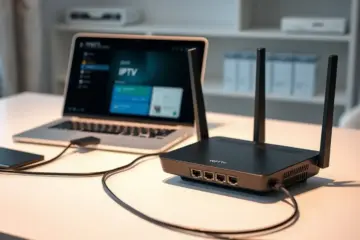
How To Backup IPTV Settings A Complete Guide

Why IPTV Backup is Non-Negotiable
Your IPTV settings represent more than just channel lists—they contain personalized configurations, favorite channels, parental controls, and custom playlist arrangements that can take hours or even days to perfect. Without proper backups, a simple device malfunction, software update, or accidental deletion can wipe out all your carefully curated entertainment settings. Backblaze research shows that 29% of data loss incidents occur due to accidental deletion, making regular backups essential for any digital service configuration.
The Real Cost of Losing Your IPTV Settings
Imagine spending weeks perfecting your channel organization only to lose everything during a routine device reset. Data recovery specialists note that human error accounts for nearly 32% of data loss cases, often during device transitions or software updates. The time investment required to reconfigure IPTV settings from scratch can be substantial—particularly if you’ve customized multiple devices or created complex channel groupings for different family members.
Moreover, losing your M3U playlists or Xtream Codes login details means immediate disruption to your entertainment. Unlike traditional cable where settings are stored provider-side, IPTV configurations reside primarily on your devices. This decentralized approach gives you more control but also places the responsibility for backup squarely on your shoulders.
Common IPTV Data Loss Scenarios
Several situations regularly lead to IPTV configuration loss. Device failure remains a primary concern—whether your Firestick malfunctions, Android box crashes, or smart TV requires factory resetting. Software updates can also overwrite custom settings, particularly when moving between major app versions. Additionally, many users lose access when changing devices without properly transferring their configurations first.
Transitioning between IPTV apps presents another risk point. For instance, moving from TiviMate to IPTV Smarters Pro requires careful migration of settings to maintain your viewing experience. Without backups, you’re essentially starting from zero with each new app installation or device setup.
Beyond Entertainment: The Ripple Effects
The impact of losing IPTV settings extends beyond mere inconvenience. For households with specific accessibility requirements—such as closed captioning preferences or audio descriptions—reconfiguring these settings represents a significant accessibility barrier. Similarly, parental controls that protect children from inappropriate content disappear, requiring immediate attention to restore safety measures.
Businesses using IPTV services face even greater consequences. Hotels, restaurants, and other establishments relying on commercial IPTV setups can experience customer dissatisfaction and operational disruptions when configurations are lost. The financial implications of downtime in these scenarios far outweigh the minimal time investment required for regular backups.
Proactive Protection Beats Reactive Recovery
Establishing a consistent backup routine ensures that your IPTV experience remains uninterrupted regardless of what happens to your devices. Modern IPTV apps and devices offer various export options, from cloud synchronization to local file backups. Taking advantage of these features transforms potential disasters into minor inconveniences.
Remember that your IPTV subscription represents an ongoing investment in entertainment. Protecting that investment through regular backups ensures you maximize value while minimizing frustration. Whether you’re using multiple devices or a single setup, the few minutes required to create backups pale in comparison to the hours needed to rebuild lost configurations.
What You Need to Back Up: Essential IPTV Components
Understanding exactly what components require backup protection ensures comprehensive coverage of your IPTV ecosystem.
Channel Lists: Your Entertainment Foundation
Your channel list represents the core of your IPTV experience, containing all the streaming URLs and organizational structure that delivers content to your screen. These lists typically come in M3U format, which organizes channels into categories and provides direct links to video streams. Losing your channel configuration means rebuilding your entire entertainment lineup from scratch, which can be time-consuming and frustrating.
Many users spend significant time customizing their channel lists by removing unwanted channels, creating favorite groups, or organizing content by language or genre. Additionally, some providers offer specialized channel lists for specific interests like sports enthusiasts or international viewers. Regular backups ensure you preserve these personalized settings and can quickly restore your preferred viewing experience after device changes or technical issues.
EPG Data: Your Programming Guide
Electronic Program Guide (EPG) data provides the television schedule information that makes IPTV feel like traditional cable or satellite service. This data includes program titles, descriptions, air times, and duration for each channel. Without proper EPG backup, you’re left with just channel names and no information about what’s currently playing or upcoming shows.
EPG sources can sometimes become unavailable or change without notice, leaving you with blank program guides. By backing up your EPG configuration and data sources, you maintain continuity in your viewing experience. This is particularly important for time-sensitive content like live sports events, news broadcasts, or seasonal programming where knowing exact air times is crucial.
Subscription Credentials: Your Access Key
Subscription credentials represent your paid access to IPTV services and are arguably the most critical component to safeguard. These typically include usernames, passwords, portal URLs, and sometimes MAC addresses for set-top box emulation. Losing these details can result in service interruption until you can contact your provider for recovery, which isn’t always immediate.
Many IPTV services use complex authentication systems that generate unique tokens or identifiers for your account. If you’re using multiple subscription plans or have invested in long-term access, keeping secure backups of all your credentials ensures uninterrupted service. It’s also wise to document renewal dates and payment information alongside your login details to maintain seamless access to your entertainment.
Application Settings and Preferences
Beyond the core IPTV components, your chosen streaming application settings deserve protection too. Applications like TiviMate, IPTV Smarters Pro, and Perfect Player store significant customization including:
- Video player preferences and codec settings
- Parental control configurations
- Favorite channel groupings and custom categories
- Electronic Program Guide customization and layout options
- Recording schedules and DVR settings
These personalized configurations transform a generic IPTV experience into your ideal entertainment hub. Backing up application data ensures that if you need to reinstall or switch devices, you can restore your preferred interface and functionality immediately rather than rebuilding everything manually.
Manual Backup Techniques for IPTV
Manual backup methods provide direct control over your IPTV data protection strategy, allowing you to create comprehensive archives of your entertainment setup.
Exporting Your IPTV Playlist Files
One of the most effective manual backup techniques involves exporting your IPTV playlist. Most IPTV services and players provide an option to export your channel list, typically as an M3U file. This file contains all the necessary information about your channels, including their names, URLs, and sometimes even electronic program guide (EPG) data. By saving this file to a secure location like cloud storage or an external hard drive, you create a portable copy of your entire channel lineup.
For instance, popular IPTV players like TiviMate and IPTV Smarters Pro include export functions in their settings menus. This process typically takes just a few clicks and generates a file you can later reimport if you need to restore your service. Additionally, understanding what an M3U link is can help you better manage these backup files.
Creating Screenshot Documentation
While playlist exports capture your channel data, screenshot documentation provides visual proof of your service configuration and channel availability. Take systematic screenshots of your channel list, favorite channels, and any custom categories you’ve created. Furthermore, capture images of your EPG working correctly and any specific settings you’ve configured in your IPTV player.
This visual documentation becomes particularly valuable if you need to demonstrate what your service included before an outage or if you’re migrating to a new device. Store these screenshots in an organized folder structure with clear naming conventions, making it easy to reference them later. According to data organization best practices, maintaining visual records can significantly streamline troubleshooting and service restoration processes [Source: TechRepublic].
Backing Up Application Settings and Configurations
Beyond channel lists, your IPTV experience relies heavily on customized settings within your streaming applications. Many users overlook backing up these configurations, which can include parental controls, audio preferences, visual settings, and interface customizations. Applications like Perfect Player and TiviMate often allow you to export your complete setup, including these personalized adjustments.
To perform this type of backup, navigate to the settings or preferences section of your IPTV application and look for backup or export options. Some applications create comprehensive configuration files that contain all your preferences, while others may require you to manually note down specific settings. Either way, preserving these details ensures you can quickly recreate your optimal viewing experience if you need to renew your IPTV subscription or set up a new device.
Documenting Subscription Details and Service Information
Maintaining accurate records of your subscription details constitutes another crucial backup strategy. This includes saving confirmation emails, subscription expiration dates, payment records, and any support contact information. Additionally, document your service credentials, server URLs, and portal addresses in a secure password manager or encrypted document.
Having this information readily accessible can prove invaluable when dealing with service interruptions or when you need to renew your All in One TV subscription. It also helps when configuring your service on new devices or applications. Industry experts recommend keeping digital copies of important service documentation in multiple secure locations to prevent total data loss [Source: Federal Trade Commission].
Implementing a Regular Backup Schedule
The effectiveness of manual backup techniques depends largely on consistency. Establish a regular schedule for updating your IPTV backups, particularly after making significant changes to your channel lists or application settings. Many experienced users set monthly calendar reminders to export their latest playlists and capture updated screenshots of their service.
Consider creating versioned backups by including dates in your filenames, which allows you to maintain multiple restore points. This approach proves especially useful if you experiment with different configurations or channel organizations. Meanwhile, combining these manual techniques with the automated features available in some best IPTV services for Firestick, Android, and Smart TV creates a comprehensive data protection strategy that safeguards your entertainment investment against unexpected service disruptions.
Built-in Backup Features in Popular IPTV Apps
Modern IPTV applications include sophisticated backup functionality that simplifies data protection and restoration processes.
TiviMate: Advanced Backup and Restore Capabilities
TiviMate stands out among IPTV applications with its sophisticated backup functionality that preserves your entire viewing ecosystem. The application automatically saves your playlist configurations, favorite channels, and customized settings to local storage or cloud services. This comprehensive approach ensures you never lose your personalized setup when switching devices or reinstalling the application.
Users can schedule automatic backups at regular intervals, providing peace of mind against unexpected data loss. The restore process is equally streamlined—simply import your backup file, and TiviMate reinstates your complete configuration within minutes. This feature proves particularly valuable for users who maintain multiple playlists or have spent considerable time organizing their channel lineup.
IPTV Smarters Pro: User-Friendly Backup Solutions
IPTV Smarters Pro offers intuitive backup options designed for users of all technical levels. The application enables you to export your profile settings, including portal configurations and parental control preferences. Unlike TiviMate’s comprehensive approach, IPTV Smarters focuses on preserving essential account information while maintaining simplicity.
The backup process generates a portable file that can be transferred between devices or stored securely online. When setting up on a new device, users can import this file to quickly restore their preferred settings without manual reconfiguration. This functionality significantly reduces setup time and ensures consistency across multiple installations.
Comparing Backup Features Across Applications
While both applications provide backup capabilities, their approaches differ significantly. TiviMate offers more granular control, allowing backups of specific components like individual playlists or EPG sources. Meanwhile, IPTV Smarters Pro prioritizes ease of use with straightforward export/import functions that cover basic configuration needs.
Advanced users often prefer TiviMate’s detailed backup options, particularly when managing complex setups with multiple subscriptions. However, casual viewers typically find IPTV Smarters Pro’s simplified approach more than sufficient for their needs. Both applications represent significant improvements over basic IPTV players that lack any backup functionality.
Practical Benefits for Regular Users
The built-in backup features in these applications provide tangible benefits for everyday streaming. When upgrading devices or performing factory resets, you can restore your complete IPTV environment without starting from scratch. This capability saves hours of manual configuration and ensures you return to your preferred viewing experience immediately.
Additionally, these backup systems serve as insurance against subscription changes or provider transitions. If you need to switch IPTV providers, your application settings and organization remain intact, requiring only updated login credentials. This flexibility enhances the overall user experience and reduces friction when making service changes.
Implementation Best Practices
To maximize the effectiveness of these backup features, establish a consistent backup routine. Schedule regular backups before application updates or significant configuration changes. Store backup files in multiple locations, including cloud storage and local devices, to ensure availability when needed.
When using these features with IPTV subscription plans, remember that backup files typically contain settings and organization data rather than subscription credentials. You’ll still need your provider information when restoring to a new device. This separation ensures security while maintaining your personalized viewing environment.
The evolution of backup functionality in IPTV applications reflects the growing maturity of the streaming ecosystem. As these applications continue developing, we can expect even more sophisticated data protection features that further simplify the user experience while preserving customization efforts.
Automated IPTV Backup Systems
Automated IPTV backup systems provide essential protection against service interruptions and data loss. These systems automatically create redundant copies of your IPTV playlists, channel configurations, and subscription data, ensuring uninterrupted entertainment when primary systems fail.
Local Backup Solutions
Local backup methods offer immediate access to your IPTV data without internet dependency. You can automate playlist backups using applications like TiviMate, which allows scheduled exports of your channel lists and settings. Similarly, IPTV Smarters Pro includes built-in backup features that preserve your portal configurations and favorites. For comprehensive device backups, consider using file synchronization tools that automatically copy M3U playlists and EPG data to external storage or network-attached devices.
Cloud Synchronization Methods
Cloud synchronization provides off-site protection for your IPTV data, safeguarding against local hardware failures. Services like Google Drive, Dropbox, and OneDrive can automatically sync your IPTV configuration files across multiple devices. Many IPTV applications support direct cloud integration, enabling seamless synchronization of playlists and settings between your smartphone, tablet, and television. This approach ensures you maintain access to your personalized channel lineup regardless of which device you’re using.
Automated Playlist Management
Advanced IPTV users can implement automated playlist management systems that regularly update and validate channel sources. Tools like IPTV Checker can automatically verify playlist functionality and remove dead links, while custom scripts can refresh M3U files from multiple providers. This automated validation prevents service disruptions by ensuring only working channels remain in your active playlists. Additionally, some IPTV services offer API access for developers to create custom backup and synchronization solutions.
Implementing Redundant IPTV Configurations
Redundant configurations provide multiple fallback options when primary IPTV services experience issues. You can maintain backup subscriptions from different providers or configure multiple portal connections within your IPTV application. This strategy ensures that if one service becomes unavailable, you can quickly switch to an alternative without interrupting your viewing experience.
Cross-Device Synchronization
Modern IPTV solutions enable seamless synchronization across all your devices. Applications like TiviMate Premium offer cloud backup features that